

🍳 This Weekly Prompt Taught Me More Than Any AI Course
Turn your own AI habits into a personalized lesson with this Codex automation


Skip the AI course
This one’s for you if you keep meaning to get better at AI but never have the hours to sit through a course. And even on the weeks you do find the time, the tools move so fast that half the course is out of date before you finish.
So you keep using AI the way you figured out months ago, with a nagging feeling there’s a better way.
I felt the same, so I stopped signing up for courses and started doing this one thing instead. Every Friday, I have Codex look back at how I used it that week and tell me what I’m missing: the features worth trying, the shortcuts I skipped, all based on my own work. It’s a personal AI coach that only teaches the parts actually relevant to me.
That one recurring prompt has taught me more than any AI course I’ve taken.
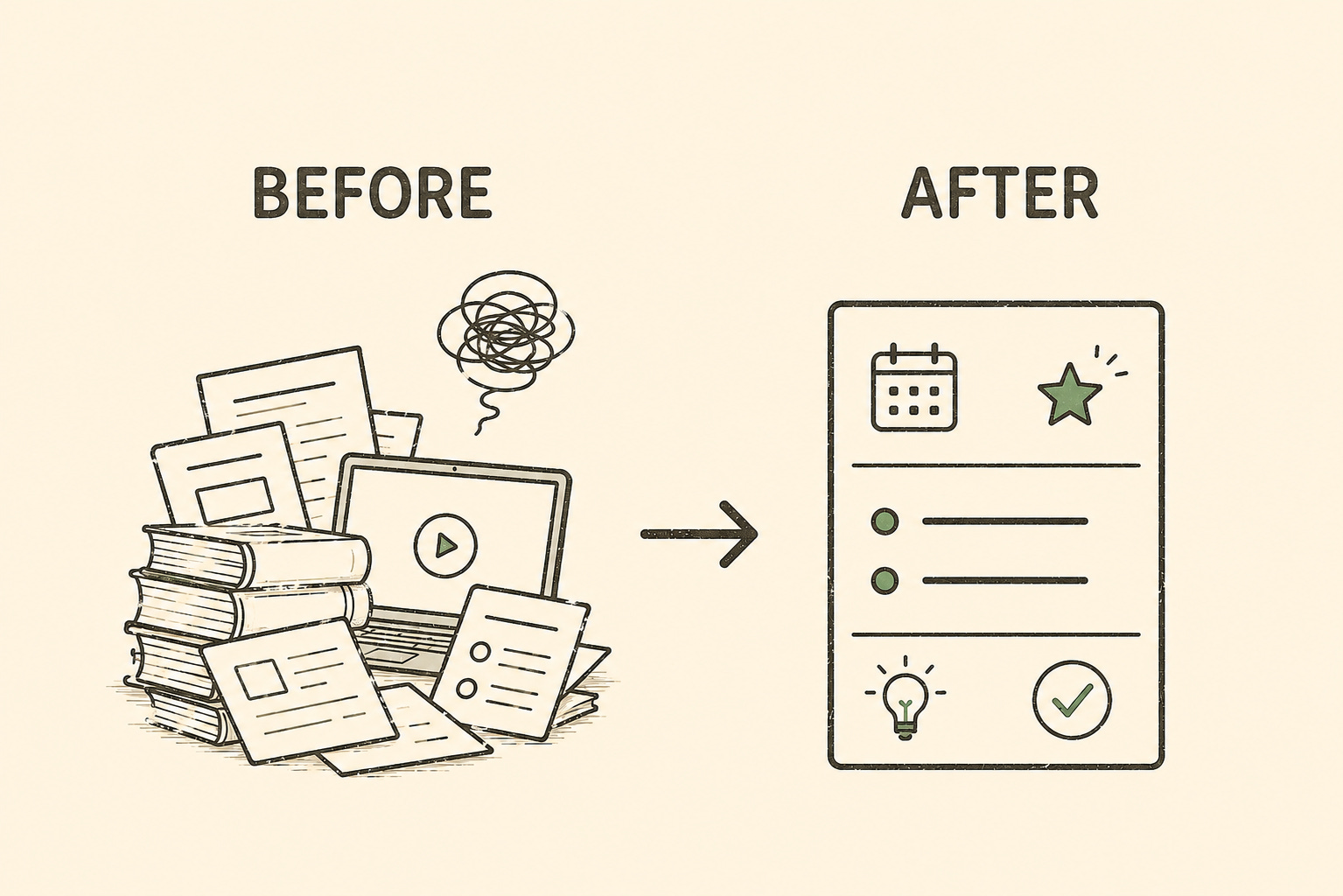
From stuck on repeat to a new trick every Friday
❌ Before: You use AI the same way every week and keep running into the same problems. You've got a folder full of saved courses, tutorials, and feature posts, but you rarely find the time, and half are outdated when you do. It feels like a treadmill you can't keep up with, and most of what you'd learn doesn't fit your work anyway.
✅ After: Friday afternoon, a short note from Codex is waiting. Here's what you used it for this week. Here's a feature you're not using that would have saved you time, and one thing to do differently next week. All of it pulled from your own work, so there's nothing to filter out. Two minutes to read, and you've got one new thing worth trying.
Prep Time: 5 minutes
Difficulty Level: Easy
🧂 Ingredients:
A ChatGPT account (works with the $20/month Plus plan)
The Codex desktop app
At least a week of using Codex, so there's a history worth reviewing
📖 Instructions:
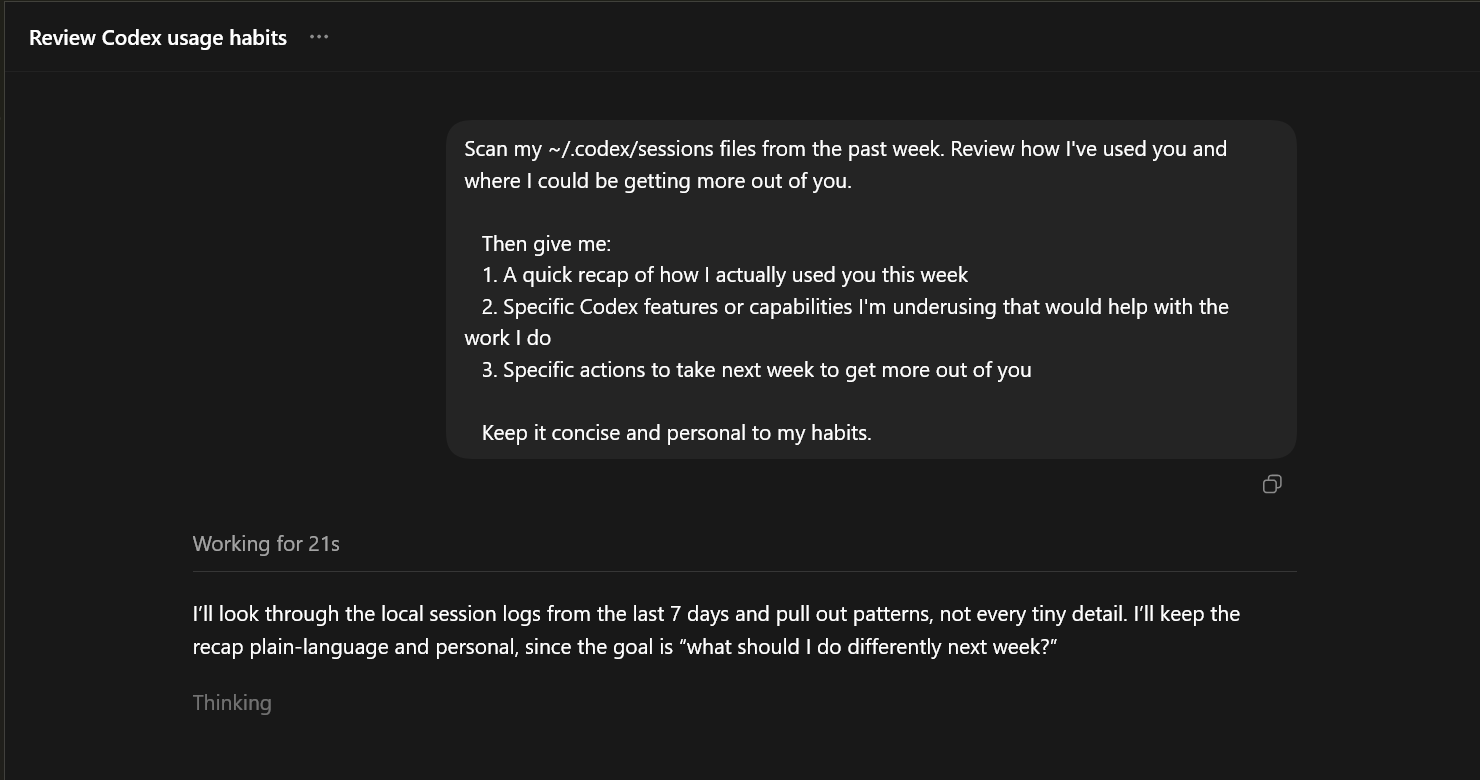
Open Codex and start a thread: Open the Codex app and start a normal chat. You’ll test the prompt here before you automate it.
Test your coaching prompt once: Paste this in and run it. I recommend testing an automation manually first, so you can see the output and fix the prompt before it runs on its own.
   Scan my ~/.codex/sessions files from the past week. Review how I've used you and where I could be getting more out of you.

   Then give me:
   1. A quick recap of how I actually used you this week
   2. Specific Codex features or capabilities I'm underusing that would help with the work I do
   3. Specific actions to take next week to get more out of you

   Keep it concise and personal to my habits.
Ask Codex to schedule it: In the same thread, tell it in plain English: “Turn this into a thread automation that runs every Friday at 4pm”. Codex will draft the automation and schedule the next run.
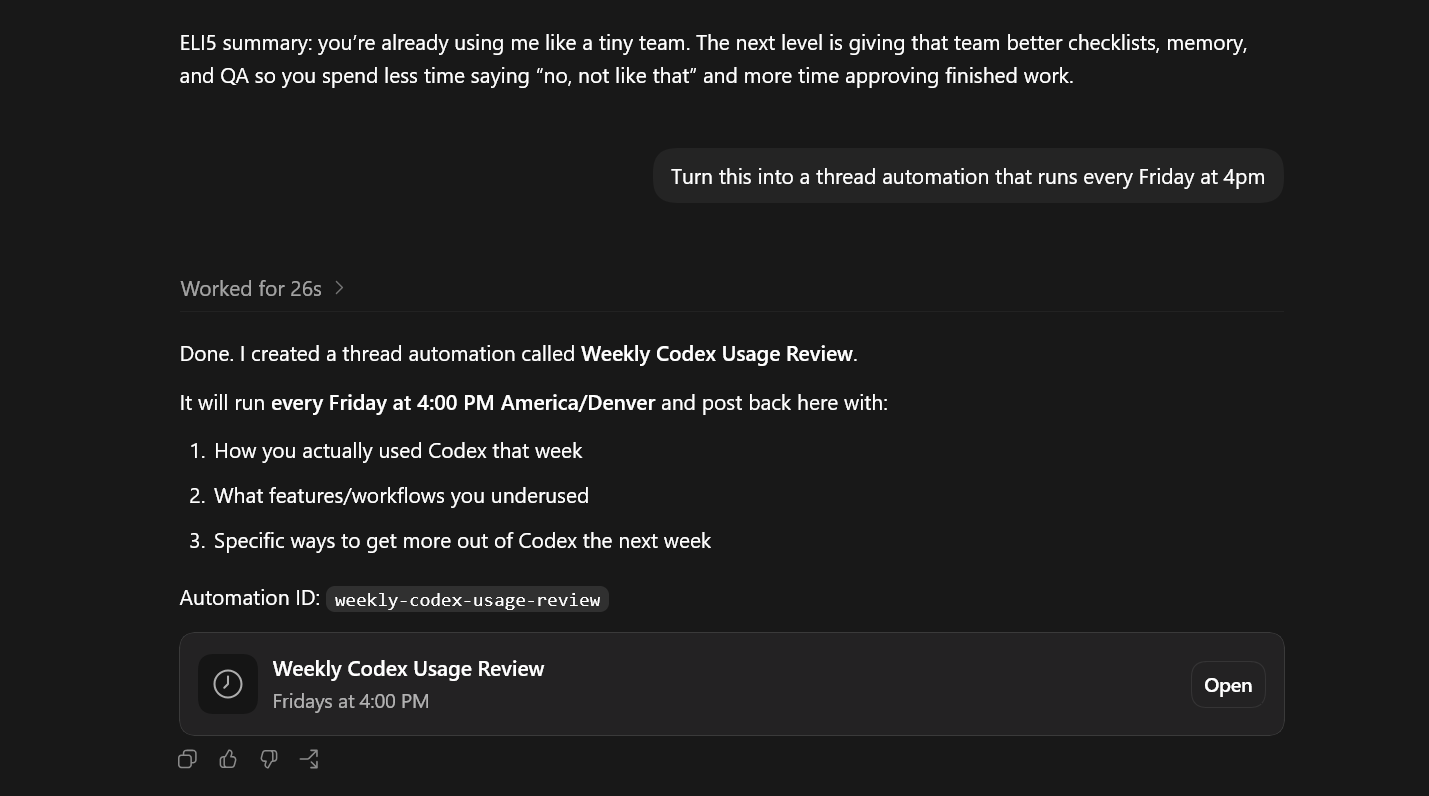
Read your lesson each Friday: Open it, skim the recap and the handful of recommendations, and pick one thing to actually try that week. Because it all lands in one thread, you also build a running log of how your AI habits are improving over time.
A note for Claude users
Claude has scheduled tasks too (in Cowork), but here’s the catch: a scheduled run starts fresh and can’t read your past Claude chats the way Codex reads its own session history. So run the prompt yourself in one long Claude thread you want to learn from. It won't work automatically across all your separate sessions.
The content below is usually reserved for paid subscribers, but for a limited time, it’s open to everyone. Enjoy the full experience and consider upgrading to a paid subscription to support this newsletter and gain exclusive perks!
🍽️ Serving Suggestions:
Once you’ve set up one automation, the same trick handles plenty of other repeatable work:
A weekly research digest so you stay current without the doomscroll:
Every Monday, research *[your topic]* and give me a 5-bullet digest of what's actually new, in plain English. Meeting notes into action items, sorted for you each week:
Each Friday, read the new files in *[my notes folder]* and turn them into a clean list of action items, grouped by project.A folder that tidies itself so things stop piling up:
Every week, scan *[this folder]*, group similar files, flag anything that looks misfiled, and summarize what changed.An eye on one webpage so you don’t have to keep checking:
Every weekday morning, check *[a webpage]* and tell me only what changed since yesterday. If nothing changed, archive the run.Chef’s Insights: Pro Tips & Limitations
🧑🍳 Pro Tips:
Test it first. Run the prompt in a normal thread once before you schedule it, so you can tweak the prompt to be what you’re looking for.
Start on 5.5, medium. GPT-5.5 with medium reasoning is a solid default for a weekly review, so start there. If the reports come back shallow, nudge the reasoning higher; if it feels like overkill, dial it back.
Tell it what you’re working on. Add a line about what you’re trying to get better at, like “I want to spend less time on email.”
Reply to the report. When the Friday note shows up, open it and ask follow-ups like any chat: “show me how,” or “walk me through that.”
Use thread automations for memory. By default, every time the standalone automation runs, it starts a brand-new chat that remembers nothing from before. That’s fine for a weekly report. But if you’d like your coach to remember what it already told you and build on it, just ask for a “thread automation” when you set it up. Then it comes back to the same conversation each week, like a coach who remembers your last session.
⚠️ Limitations to Keep in Mind:
The desktop app has to be open. Automations run locally, so the Codex app needs to be open. If your laptop was asleep or closed at the scheduled time, Codex will pick up the missed run when you reopen it.
Remembering costs a bit more. The thread version has to drag its whole history along every time it runs, so it slowly uses up more of your Codex usage. For a plain weekly report, the standalone version is the lighter choice.
A slow week means a thin report. Codex can only go off the history on your machine, so if you barely used it that week (or just installed it), there’s not much for it to learn from.
Your turn, Chefs
Did you try out the prompt? Reply and share how it went and what tips you were recommended.